
About This Game
0
Login to like
0
Login to like
What is Star Fighter Command? Star Fighter Command is a browser game where you shoot targets. It plays instantly in your browser with no downloads required and offers engaging gameplay.
Immersive Space mmo, Missions, space station, Play 6 different characters. Large explorable universe.
Google Chrome or Microsoft Edge are recommended.
3. Choose NEW GAME, name your pilot, and launch.
4. New to the game? Open the menu (Esc) and set NEW-PLAYER TIPS to ON.
Short PILOT TIPS then pop up the first time you fly, dock, visit each
station deck and enter each sector. Click GOT IT to close one, or TURN
OFF TIPS. Tips start switched off.
No internet connection is needed to play solo.
YOUR SAVES
- The game saves automatically when you dock at your quarters, every minute
while you play, and when you close the game. You can also save any time
from the menu (Esc, or the menu button at the top of the screen).
- Saves are stored inside your web browser. Clearing your browser's
history or site data can erase them.
- To back up your pilot, or move it to another computer, open
LOAD GAME > EXPORT (or Menu > EXPORT SAVE FILE). Keep the .sfcsave file
somewhere safe. Restore it with LOAD GAME > IMPORT SAVE FILE.
- Up to 3 pilots can be saved at once.
MULTIPLAYER (up to 6 pilots)
- One player chooses MULTIPLAYER > HOST A GAME and shares the 4-letter
room code. Friends choose JOIN A GAME and enter the code.
- The host's computer runs the game, so the host should have a steady
connection. Multiplayer needs an internet connection.
- Not sure your network is ready? MULTIPLAYER > CHECK MY CONNECTION.
- Room code not working? The host can open "Invite them with a code
instead" and send the invite code through any messaging app. The friend
pastes it under JOIN A GAME > "Got an invite code", and sends the reply
code back. This works even when the room-code service is down.
- If a friend's connection drops, the game reconnects them by itself.
The battle keeps going if the host switches to another window.
- Space combat is shared, including the Gunship and Dreadnought bosses,
and so are station decks 1-4 (Concourse, Commerce, Social, Command):
pilots on the same deck see each other walk,
run, jump and dance, with name tags and chat bubbles (press T to chat).
A list in the corner shows which deck each friend is on.
- Your hangar, your quarters and planet DOVARA are private, and your
planet claim, bank and ship are your own and are saved to your pilot.
- The battle keeps going while pilots are docked. A docked pilot is out of
the fight (hidden and safe) until they launch again.
DAMAGE AND REPAIRS
- Your shield stops less of each hit as it drains; the rest gets through
to the hull. Every hit the shield takes also wears the shield generator,
and the shield only recharges as far as the generator's condition (shown
next to the SHIELD bar). Shields start recharging a few seconds after
the last hit.
- Hull damage stays until it's repaired, and it's saved with your pilot.
A badly damaged ship smokes and sparks.
- Repair at REPAIR & REFIT on the station's Commerce deck (deck 2): repair
the hull, recondition the shield generator, restock missiles, or do a
full service. If you're short on Credits you get as much as you can
afford.
- If your ship is destroyed you get a replacement, but it costs a 500 CR
deductible. Deepfield Insurance (sold at Repair & Refit) covers your
next 3 losses.
DO ADS
- The hologram billboards floating in every sector show ads from the DO
ecosystem (DO Chain, DO DEX, DO Chess, DOUSD and more). They turn to face
you and change every few seconds.
- On the station's Social deck (deck 3), ten lit screens on the walls show
the same ads in rotation.
DO DEX, LSF EXCHANGE AND DO BEATS
- On the station's Commerce deck (deck 2) there are two exchange terminals,
each under a big hologram: DO DEX in the south-east corner and LSF
EXCHANGE in the south-west corner. Press E at one, then OPEN: the site
(do-dex.com or dex.luncswap.fun) opens in a new browser tab, where you
connect your wallet and trade as normal. Close that tab to come back;
your game is saved first.
- DO BEATS, a make-your-own-music site, has its own terminal on the Social
deck (deck 3), under the DoBeats hologram past the end of the cantina
bar. Press E there, then OPEN, to visit dobeats.domisfits.com.
- All three are separate websites and need an internet connection. The game
never sees your wallet; Credits and Dovinium stay in the game.
PILOTS
- You name your pilot yourself; the pilot you choose is your job. Pick one
when you start a new game: HEAVY ASSAULT (power armour), MERCENARY
(assault armour), TECH OPS (off-duty gear), RECON SPECIALIST (stealth
gear), ACE PILOT (an Andromedin in a flight suit) or PATHFINDER
(pressure suit).
- Change pilot or looks any time in your quarters: press L for the Armory,
then P (or tap a pilot) to switch, 1-5 for colours and H (or tap a
swatch) for hair colour on the Ace Pilot and the Pathfinder.
- The Ace Pilot is an Andromedin, with green skin, dark green lips and
glossy black eyes; Tech Ops has blue skin, white hair and beard, and
glowing red eyes. The others are human. The Mercenary's arm blades glow
in his armour colour.
- Every pilot has their own colours (Heavy Assault four armour finishes,
the others five each); the Ace Pilot and the Pathfinder also have eight
hair colours and their own make-up.
- Your choice is saved with your pilot, and friends on the station decks
see your pilot in your colours.
- DANCE (G, third-person view): G opens your dance menu. Pick a dance with
its number, a tap, or the arrow keys and Enter (or G again). While
dancing, LEFT / RIGHT switch to the previous / next dance; G or walking
stops. The menu remembers the last dance you picked.
The men have 9 dances (Gangnam Style, Hip Hop, House, Deep House,
Locking, Robot, Slide, Tutting and their Signature Groove), the women 12
(Rumba, Arms Hip Hop, Groove, Running Man, Hip Hop, Macarena, Northern
Soul Floor and Spin, Salsa, Samba, Shuffle, Snake). The dance name shows
briefly, and friends on the deck see the same dance.
SHIP PAINT
- In the station hangar, press P to paint your fighter: Navy & Cyan,
Crimson, Bronze, Marauder, El Tigre, Britain Bomber, Canadian Cruiser or
The Hornet (black with hornet-green panels and green engines). Press 1-8
or tap a paint. Your choice is saved, and friends see it in multiplayer.
PAINT PACKS (ADD-ON PAINTS)
- New paints come as paint pack files (.sfcpaint). To install one, go to the
station hangar, press P (or tap the paint button), choose IMPORT PAINT PACK
and pick the file. The new paints join the menu straight away, marked with
a + and their pack's name.
- Installed packs stay in this browser, so you only import a pack once. Use
the arrow keys (or tap) to reach pack paints. PACKS lists what's installed
and removes a pack. Importing a newer copy of a pack updates it.
- Your paint choice is saved with your pilot. On a computer without that
pack, your ship shows NAVY & CYAN until the pack is imported there too.
- In multiplayer, friends see your pack paint if they've installed the same
pack; otherwise your ship shows a standard paint on their screen.
- Packs contain only pictures and names, never programs.
SHIP UPGRADES AND MODULES
- At REPAIR & REFIT on the Commerce deck (deck 2), press 6 for UPGRADES,
or press E at the SHIP MODULES stall next to it.
- Six systems go from Mk I to Mk III: ENGINES (up to +30% speed), SHIELD
GENERATOR (drains slower, recharges faster), HULL PLATING (up to 40% less
hull damage), CARGO HOLD (120 up to 320 units), MINING BEAM (faster
mining, less tanker heat) and WEAPONS (more laser damage, faster fire,
up to 14 missiles). Mk I costs 3,000 CR, Mk II 9,000 CR, Mk III 24,000 CR
plus 80 Dovinium from your hold.
- MODULES (press 7 in the upgrades panel): buy as many as you like, but
only 2 can be fitted at once (3 on the Starfury):
CARGO VAULT keeps half your unbanked Credits and cargo when you're shot
down; LONG-RANGE SCANNER, radar reaches 60% further; POINT DEFENCE shoots
down tanker mines near you; EMERGENCY SHIELD CELL refills your shield once
per sortie when it fails and the hull is under 50%; AFTERBURNER, boost 35%
faster, but boosting drains your shield.
- THE STARFURY: a heavy fighter hull for 120,000 CR and 200 Dovinium (press
6 in the modules panel). Four engines, 15% tougher, a little faster and a
third module slot. Once bought, switch to it or back in the hangar paint
menu (P, then 9).
- Upgrades and modules are saved with your pilot, and they work in
multiplayer too.
THINGS TO DO IN EVERY SECTOR
- Diamond markers on your screen and radar show what's nearby.
- DERELICT WRECKS drift in every sector (lots in the Kessler Belt). Fly
close and press M to cut into one with your beam: Credits, often
Dovinium or missiles, now and then a valuable data core. Some have an
unstable reactor: when the warning sounds, get clear before it blows.
Wrecks change every 20 minutes.
- UNKNOWN SIGNALS (three per sector): fly up to one and hold close to scan
it, for a log entry about the sector and 400 CR the first time.
- RANDOM EVENTS every few minutes (not in the Alien Frontier or The
Slipstream): a COMET to
mine with your beam before it leaves, a SUPPLY DROP (first to reach it
gets Credits, missiles, Dovinium and a hull patch), a DISTRESS CALL
(survivors to rescue -- or an ambush) and a FREIGHTER UNDER ATTACK by
alien raiders. The panel at top right shows what's going on.
- RACING has its own sector now: THE SLIPSTREAM (see below).
- COURIER JOBS: on the Bounty Board (Command deck), press 8 to take a
delivery to another sector. Fly to the drop point marked there within
10 minutes; the pay goes into your bank.
- Every sector also has its own speciality:
* NEBULA REACH: charged gas pockets inside the ion clouds.
* THE MAW: exotic matter orbiting the singularity -- the closer to the
core, the more it's worth (and the harder the pull).
* THE SANCTUARY: the spy satellites develop faults; repair one with your
beam (M) for a fee.
* ORION'S DRIFT: a pirate outpost with four turrets. Shoot them all down,
then fly into the open vault for 6,000 CR, Dovinium and a missile
restock. The pirates come back after 10 minutes.
* CYGNUS RIFT: rifts tear open now and then and spill strange matter for
45 seconds.
* ANDROMEDA FRINGE: escape pods drift in the sector. Fly into one to tow
it, then bring it to the rescue beacon.
* SOLARIS CORONA: plasma crystals to collect, and solar flares every
minute or two: when the warning sounds, hide behind an asteroid
(between you and the sun) or take the hit.
* THE VOID EXPANSE: six spider egg clusters to shoot, with a hive bounty
for clearing them all.
- In multiplayer each pilot gets their own wrecks, events and pickups,
so nobody steals your salvage.
THE SLIPSTREAM (RACING SECTOR)
- A safe sector built for racing: no hostiles, no events, no wrecks on the
racing lines. Reach it through its own jump gate (pink) from any sector.
- Three tracks: COMET LOOP (easy), ORION RUN (medium) and THE NEEDLE
(expert: slalom, corkscrew and hairpins round the pylons).
- To start, fly into a track's white START ring FROM THE ARROW SIDE: a lane
of glowing arrows points the way in, and the START sign reads from that
side. Fly through it the wrong way and you get a WRONG WAY warning (the
back of the ring says WRONG SIDE).
- Then fly through every ring in order; the NEXT RING marker and the race
timer at the top show the way and your time. Gold hex SPEED PADS on the
track give you a turbo burst. Leave the track for 40 seconds and the
race is called off.
- GOLD, SILVER and BRONZE medal times for each track. Your first finish
pays 1,000 CR, every new personal best 250 CR, and each medal pays
once, the first time you earn it (bronze 500, silver 1,000, gold 2,000 CR).
- Race your own best lap: a GHOST of it flies the track with you.
- TOP TIMES BOARD at the centre of the sector: the 5 fastest pilots on
each track, by pilot name, with their medals (your line is
highlighted). In multiplayer, everyone's finishing times reach everyone's
board.
JUMP GATES
- A hologram sign floats above every jump gate: where it leads, what kind
of sector it is (SAFE ZONE, HOSTILE, GRAVITY WELL, ALIEN CONTACT or
RACEWAY) and how far away it is. The signs turn to face you and grow
with distance, so you can read them from anywhere.
THE HANGAR
- Two little maintenance robots work in the hangar: they walk between the
ship, the crates and the panels doing their checks, step out of your way,
wave if you stand by them, and jump if you run at them.
- The SHIP HOLOGRAM on the hangar floor shows your fighter from the top and
the side with a live diagnostic report: paint scheme, hull and shield
generator condition, missiles, upgrades, modules, insurance and cargo.
It updates as your ship changes, and shows damage where it is.
ALIEN FRONTIER AND BOUNTIES
- A new sector, the ALIEN FRONTIER, is reached through any jump gate. Alien
attack fighters hunt there in packs of 2-4: fast, agile, circling as they
fire green plasma. Shoot one and its whole pack comes for you. A wiped-out
pack is replaced by a new one a little later.
- Bounty contracts: go to the BOUNTY BOARD on the Command deck (deck 4),
take a contract (1-7), hunt aliens, then come back and collect (1). The
reward goes straight into your bank. One contract at a time; only kills
you make count. "Untouchable" fails if you lose your ship.
- In multiplayer the aliens are shared, and each pilot has their own
contract.
TANKER RAIDS
- Every 4-6 minutes a huge ALIEN TANKER crosses the Alien Frontier with an
escort pack (shown on the radar and in the panel at top right). It can't
be destroyed: the prize is the Dovinium in its hull. Fly within range of
the hull and press M to siphon it into your cargo hold with your mining
beam -- faster than mining rocks.
- Its running lights show how full it is: purple when loaded, fading to
green as it empties, and pulsing bright while someone is mining it.
- Every unit taken raises the tanker's ALARM (shared by everyone):
25% the escort breaks formation and attacks; 50% it fires shield pulses
that knock your shields out for a few seconds; 75% it drops mines behind
it; 100% it calls another alien pack and jumps out after 25 seconds.
- The cargo is volatile: mine it too long and it overheats (watch the heat
bar). Release the beam in time or a cargo section explodes, taking you
with it -- and a chunk of the tanker's cargo too.
- Get home and bank what you stole -- unbanked cargo is lost if you're
shot down.
- No Quantum Beaming (Q) in the Alien Frontier: alien jamming blocks it.
Fly out through a jump gate first. The emergency beam-out when your
ship is destroyed still works.
- Sell stolen Dovinium at the Dovinium Exchange on the Commerce deck.
- The Bounty Board has raid contracts too: Tanker Skimmer, The Big Heist
and Clean Getaway.
- In multiplayer everyone raids the same tanker: one pilot siphons while
the others hold off the escort. Each pilot keeps what they siphon.
MUSIC
- In The Slipstream, the race music plays while you race.
- The game has its own soundtrack: a rock theme on the main menu (click
or press any key on the title screen to start it -- browsers don't allow
sound before that), just each sector's own ambience while you explore, rock when a fight starts (it fades back a few seconds
after the fight ends), heavier rock for boss fights, eerie ambience in the
Alien Frontier and the Void Expanse.
- Every sector also has its own background ambience under the music, and
the station, quarters and hangar have a quiet ship's hum (no music);
planet DOVARA has its own alien-world ambience.
- MUSIC volume: press ESC (or the menu button) in game, or CONTROLS on the
main menu, and click MUSIC to step through OFF, 25%, 50%, 75% and 100%.
- Your own jukebox music takes over whenever it's playing.
- AMBIENCE volume sits next to MUSIC in the same menus, and SOUND FX next
to that (menu clicks, warning alarms, a success chime for purchases and
rewards, the transporter panel, Quantum Beaming, your claim's drill on
DOVARA, missiles, an incoming-missile warning, shield and hull hits, a victory
fanfare when a boss goes down, the afterburner, shields failing, pickups, rock breaks,
big explosions, the tanker's horn, race starts and ring chimes, mining and
salvage beams, enemy lasers, the pirate outpost's cannons, the signal scanner, transporter and wormhole sounds,
alien fighters and Void spiders).
- Music by Waveloom; ambience and sound effects by freesound_community,
audiopapkin, creatorshome, lordsonny_two, rikk_nextsoft, singularitysmarauder, yodguard, dragon-studio, floraphonic, mrstokes302, fronbondi_skegs,
kalsstockmedia, universfield and vadim_makes_sound
(Pixabay Content License).
JUKEBOX
- On the station's Social deck (deck 3), the jukebox stands beside the
emote floor. Walk up and press E, then ADD MUSIC (or drag music files
onto the panel). MP3, M4A, OGG, WAV and FLAC files work.
- Only you hear your jukebox: your music is never sent to other players.
- Your music is kept in this browser on this computer, so it's still there
next time. It isn't included in save files. Clearing the browser's site
data removes it; remove single tracks with the X next to them.
- In the panel: 1 play/pause, 2 next track, 3 add music. The music is
loudest at the jukebox, quieter elsewhere on the station, and pauses
while you fly (it carries on when you come back aboard).
- Only add music you have the right to use.
GRAPHICS
- Menu > GRAPHICS sets the quality: AUTO (adjusts to your computer, up to
HIGH), or a fixed LOW, MEDIUM, HIGH or ULTRA. ULTRA is for powerful
graphics cards only; if the game closes unexpectedly on ULTRA, it starts
on AUTO next time. The current level and frame rate show
in the bottom-left corner while you fly.
- If the game runs slowly or looks blurry even on LOW, your browser is
probably not using your graphics card:
* Chrome / Edge: Settings > System > turn on "Use graphics acceleration
when available", then restart the browser.
* Windows laptops with two graphics chips: Windows Settings > System >
Display > Graphics > choose your browser > High performance.
* Close other heavy tabs and apps, and plug a laptop into power.
DISPLAY (PICTURE SETTINGS)
- Menu (Esc) > DISPLAY, next to SOUND FX (also under CONTROLS on the main
menu): sliders for BRIGHTNESS, CONTRAST, GAMMA, HUE and SATURATION. You
see the changes on the game behind the panel as you drag. RESET puts
them back to normal. Your settings are kept in this browser.
PC AND MOBILE
- The game plays on computers (keyboard and mouse) and on phones and
tablets (touch controls). The file is about 82 MB, so on a phone allow a
moment for it to load. Use a recent Chrome, Edge, Firefox or Safari
(Safari 14 or newer on iPhone and iPad).
CONTROLS
See CONTROLS on the main menu. On touch screens, use the on-screen
stick and buttons.
Reviews and Comments

Random Games
View All
Wing Raid
Wing Raid, a tribute to Atari's beautiful River Raid. Cross the course and destroy all the aircraft ahead!...
1
506
 Mobile
Bombardier Squad
Platformer with a large maze in a map. Alter terrain using bombs, Hunt all monsters and uncover the green brick to proceed to next level....
2
420
 Mobile
Mole Attack
Mole attack, a game where you whack moles for good high scores...
5
18.3k
 Mobile
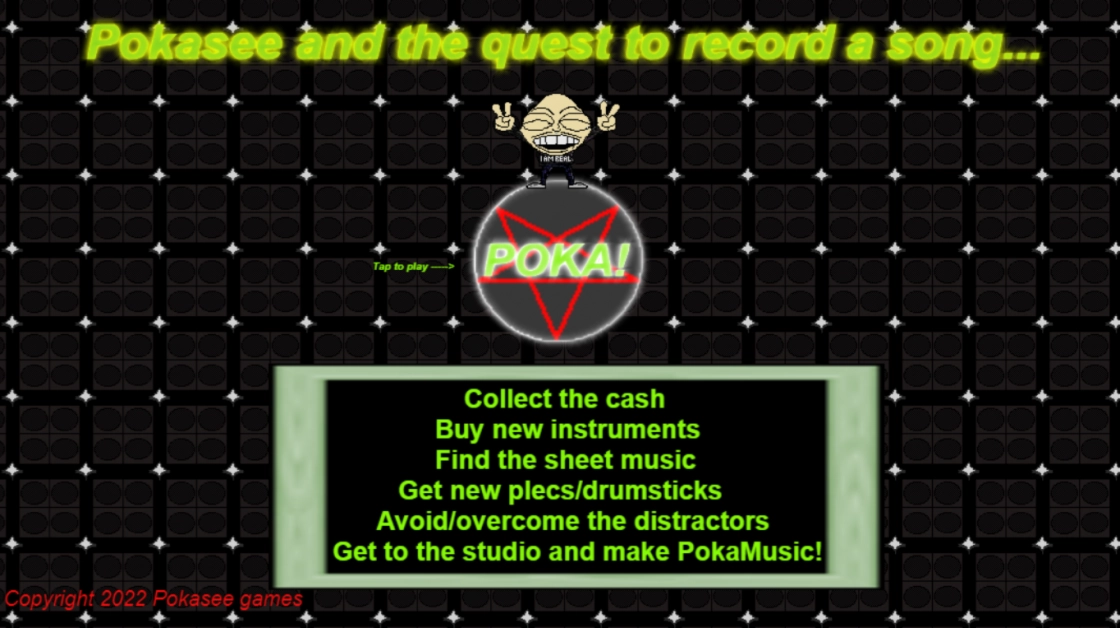
Pokasee and the quest to record a song
Join Pokasee and help him to find cash to buy a new guitar and drumset / find music sheets / plectrums and drumsticks.
He needs these so that he can record a...
1
421




·

Javascript is required to use this site.
Free games for your website WordPress Game Plugin
Publish Game iDev Token Game Database
RSS Feed RSS Feed (With Embed Code)
 Dev Coin Stats Game Stats Post Stats Member Stats Site Stats
Indie Games No Download
|
Games to Play at Work
|
Instant Play Games
|
Indie Games Platform
|
Hidden Indie Games
© 2026 iDev.Games. All rights reserved.
This site uses functional cookies for login and preferences. We also use Cloudflare (security) and PayPal (payments). By using this site, you consent to our use of cookies.
Learn more
Privacy Policy
|
Terms of Service
© 2026 iDev.Games. All rights reserved.